What Are the 7 Best Benefits of Automated Dock Systems?

Time:2026-11-10 Author:Aria
0%

At a busy distribution center, a dock may seem like a simple doorway. Yet each trailer arrival brings timing, safety, and coordination demands. Manual checks, uneven schedules, and repeated adjustments can slow the handoff between warehouse and road. Automated dock systems coordinate equipment and information, helping teams manage these transitions with greater consistency. But automation is not a magic fix. Its value depends on traffic patterns, building layout, staff training, and reliable maintenance. A system that fits one facility may not suit another.

The question “what are the benefits of automated dock systems” deserves a practical answer, not a sales promise. Across suitable sites, automation can reduce manual steps, support safer trailer handling, improve throughput, and make dock activity easier to monitor. It may also help limit avoidable equipment damage, provide more predictable workflows, and give managers clearer operating data. These gains are measurable only when teams compare relevant indicators, such as loading time, incidents, downtime, and maintenance costs. Even good data needs context. A faster cycle does not automatically mean a better process if congestion simply moves elsewhere. This introduction examines seven potential benefits, from improved safety and efficiency to better visibility and resource use. It also considers the conditions behind those gains, including integration, training, and ongoing service. The details matter. Readers can use this framework to judge whether automation addresses real dock constraints or merely adds complexity.
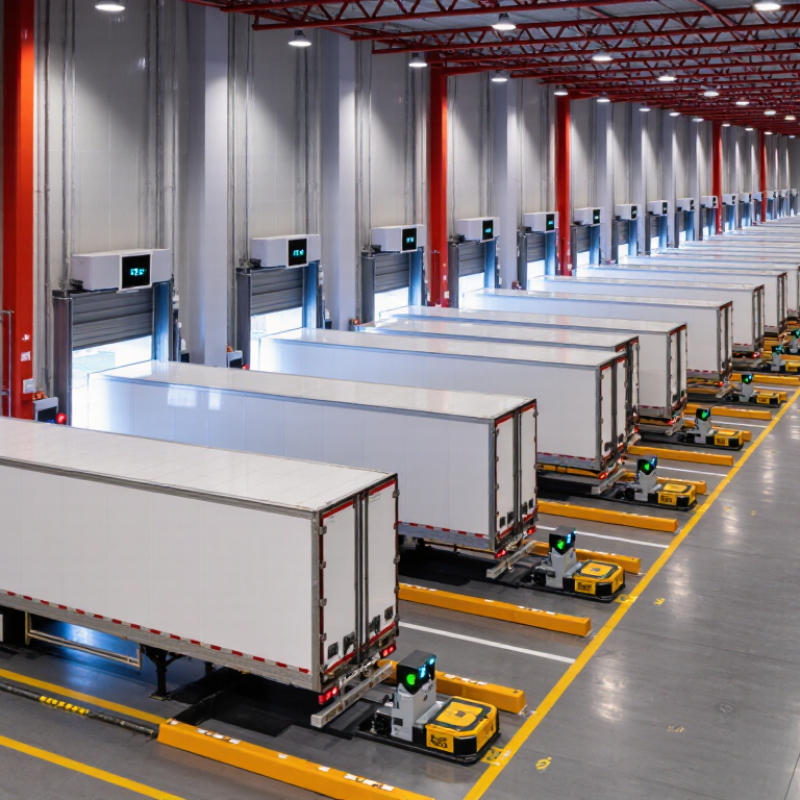
What Are the 7 Best Benefits of Automated Dock Systems?

What Automated Dock Systems Are and How They Work

What Automated Dock Systems Are and How They Work

An automated dock system connects a warehouse’s doors, levelers, vehicle restraints, and controls. Sensors detect a trailer’s position and signal when it is safe to begin loading. The dock leveler bridges the gap between the building floor and the trailer bed. A restraint can help prevent trailer movement during transfer. Controls coordinate these components, while indicator lights show workers the system’s status. That matters.

The sequence varies by equipment and site. A driver positions the trailer, and sensors check its alignment. After the restraint engages and the leveler is set, staff can move goods with forklifts or other handling equipment. When loading ends, the system guides workers through releasing the restraint and clearing the area. Automation can reduce reliance on hand signals, but it does not remove the need for trained staff. Sensors may need cleaning, and poor alignment can interrupt the sequence. Small gaps matter. A real dock is rarely as tidy as a diagram.

Tips: Confirm that the system fits your trailer types and traffic patterns. Keep sensor areas clear, test warning lights, and train workers on manual procedures. Review interruptions rather than assuming every delay means equipment failure. A short inspection before a busy shift can catch a loose cable or blocked sensor early.

How Automation Speeds Up Loading and Unloading

Automated dock systems can reduce the pause between a truck arriving and freight moving. Sensors can confirm a trailer is positioned, then trigger restraints, dock levelers, and doors in a set sequence. This cuts down on separate manual actions and helps forklifts avoid waiting for a dock attendant to operate each control.

On a busy shift, a conveyor can carry cartons from the trailer toward sorting. Pallets can cross a level bridge with fewer stops for repositioning. Clear signals and interlocks also help workers see when a dock is ready for loading or unloading.

The exact time saved depends on trailer types, freight, and how well the system fits the workflow. Automation is not magic. A misplaced pallet or faulty sensor can still slow the dock, so trained staff need to monitor the process and handle exceptions.

Even a short delay can ripple through a shift. A little awkward, but true.

Properly maintained equipment and realistic operating procedures make speed more consistent, rather than simply faster on paper.

How Automated Controls Improve Worker Safety

Automated dock controls can reduce the moments when workers must make safety-critical decisions under pressure. A dock leveler can be interlocked with a vehicle restraint, so it operates only when the trailer is secured. Door and restraint indicators give operators a clear status before loading begins. That matters when a forklift is waiting and the dock is noisy. Clear signals help prevent guesswork.

Some systems also use sensors to detect a trailer’s position or alert staff when conditions change. An audible warning can prompt a worker to pause before entering a dock area. Small details count. Still, automation is not a safety guarantee. A dirty sensor, damaged cable, or poorly understood alarm can weaken the protection. Workers need practical training, including what to do when a control does not respond as expected. Daily visual checks and scheduled maintenance help keep safeguards dependable. It is tempting to trust the screen too much; people should keep checking the physical conditions around the dock.

How automated dock controls can support worker safety

This illustrative chart counts example control functions associated with each benefit; it does not show measured injury reductions. Features vary by system and installation. Follow the equipment manufacturer's instructions and applicable safety requirements.

How Dock Seals and Security Features Protect Goods and Facilities

At a busy loading bay, protection starts where the truck meets the building. A well-fitted dock seal compresses around trailer edges, helping block wind-driven rain, dust, and insects. This can keep packaging dry and reduce debris near stored goods. It also limits drafts that may affect temperature-sensitive areas. Small details matter.

The seal must suit the vehicles using the dock. Worn fabric, loose fasteners, or mismatched trailer heights can leave gaps. Regular inspections help catch these faults, though a quick visual check may miss damage behind the frame. Automated restraints and warning lights add a separate layer of protection. Sensors can confirm that a trailer is secured before the loading door opens, reducing the risk of unexpected movement or costly impact damage. Where systems are integrated, door controls and alerts can help staff follow the correct sequence. They are not a substitute for trained workers or clear procedures. A flashing light cannot fix a badly positioned trailer, and sensors need testing. Together, physical seals and monitored dock controls help protect products, workers, and building interiors during daily transfers.

What Are the 7 Best Benefits of Automated Dock Systems? — How Dock Seals and Security Features Protect Goods and Facilities
Benefit How the System Helps Protection Feature Practical Measure to Track
1. Better protection from weather and debris Dock seals or shelters close the space around a positioned trailer, helping limit the entry of rain, windblown dust, and outdoor debris during loading. Well-fitted seals, maintained dock bumpers, and correct trailer positioning. Inspect seal condition and document visible water, dust, or debris entering the loading area.
2. More stable indoor temperatures Seals and coordinated door operation can reduce the opening through which outdoor air enters while a trailer is at the dock. Dock seals or shelters paired with timely door operation; suitable equipment depends on trailer types and facility conditions. Record door-open time and monitor temperature in temperature-controlled areas.
3. Safer trailer movement control When equipped with vehicle restraints and interlocks, the system can help prevent loading equipment from operating until the trailer is secured. Trailer restraint, restraint-status sensors, and door or leveler interlocks. Review restraint-status records and investigate bypasses, faults, or near misses.
4. Stronger control of dock access Controlled door operation and access permissions can help limit unintended or unauthorized entry through loading-bay doors. Access controls, door-position sensors, alarms, and event logs where fitted. Review access and door-event logs, and test alarms according to the facility’s procedures.
5. Less risk of handling damage Consistent operation of dock levelers and coordinated equipment can help bridge the gap between the dock and trailer, supporting safer movement of goods and handling equipment. Correctly selected and maintained levelers, dock bumpers, and operating controls. Track product-damage reports, leveler faults, and inspection findings.
6. More consistent loading-bay workflows Automated sequences can coordinate doors, restraints, and levelers, reducing reliance on separate manual steps when the system is properly configured. Sequencing controls, status indicators, and interlocks appropriate to the dock layout. Compare dock-cycle times and note delays caused by equipment faults or process exceptions.
7. Lower avoidable energy loss Reducing gaps around docked trailers and limiting unnecessary door-open time can help reduce unwanted air exchange and associated heating or cooling demand. Dock seals or shelters, automatic door controls, and routine maintenance of seals. Monitor door-open time, HVAC energy use, and seal condition; results vary with climate and facility operation.
Performance depends on proper equipment selection, installation, staff training, and regular inspection. Safety restraints and interlocks should be used and maintained according to applicable regulations and the equipment manufacturer’s instructions.

How Automation Reduces Energy Use, Labor Costs, and Process Delays

Automated dock systems can reduce energy waste by coordinating doors, levelers, vehicle restraints, and traffic signals. When a trailer is not being loaded, a quick-closing door helps limit drafts that carry heated or cooled air outside. That matters. Sensors can also prevent doors from staying open between trucks, although poor calibration may trigger unnecessary cycles.

Automation can reduce repetitive tasks, such as manually checking whether a dock is clear or a restraint is engaged. Clear status lights and interlocks help workers spot problems before loading begins. Fewer repeated steps may free staff to handle exceptions and keep work areas organized. Still, automation does not replace trained oversight. Maintenance takes time. A misaligned sensor or worn door seal can undermine the expected savings.

Connected controls can make delays easier to identify. For example, tracking door-open time, truck wait time, and energy use per shift gives managers practical measures to review. If a trailer arrives late or equipment needs attention, visible alerts can help crews adjust the sequence instead of leaving a dock idle. In practice, the gains are uneven: a faulty sensor can disrupt a smooth shift. Regular inspections and staff feedback help reveal where the system is actually helping.

FAQS

What does an automated dock system connect?

It links dock doors, levelers, vehicle restraints, sensors, and controls. Indicator lights show the system’s status.

How does the system check a trailer’s position?

Sensors detect whether the trailer is aligned. A poorly positioned trailer can interrupt the sequence. Small gaps matter.

What happens before loading begins?

The restraint engages, and the leveler bridges the gap between the building floor and trailer bed. Staff can then move goods with forklifts.

Can automation make loading faster?

It can reduce waiting between a truck’s arrival and freight movement. Actual time savings depend on the trailers, goods, and workflow.

Does automation remove the need for trained workers?

No. Staff must monitor the process, handle exceptions, and know manual procedures. Sensors can fail or need cleaning.

How do dock seals help protect goods?

A well-fitted seal presses around trailer edges, helping block rain, dust, insects, and drafts. Dry packaging is a practical benefit.

What should workers check before a busy shift?

Keep sensor areas clear, test warning lights, and inspect cables. A quick check may catch a blocked sensor, though hidden damage can be missed.

Do restraints and warning lights prevent every dock problem?

No. They can help reduce unexpected trailer movement, but they cannot correct poor alignment or replace clear procedures. A flashing light is not a fix.

Conclusion

Automated dock systems coordinate equipment such as dock levelers, vehicle restraints, doors, and control sensors to manage the movement of goods between vehicles and facilities. By connecting these components in a consistent workflow, they can help teams prepare loading bays more quickly, reduce unnecessary steps, and keep operations moving during busy periods. Understanding what are the benefits of automated dock systems starts with how they bring equipment and processes together.

Automation can speed up loading and unloading while using controls and sensors to help workers avoid unsafe interactions with moving vehicles and equipment. Dock seals and security features can help protect goods from weather, damage, and unauthorized access, while also supporting better facility control. More consistent processes may reduce energy use, labor demands, and delays caused by manual coordination, helping businesses improve efficiency without sacrificing safety or product protection.

Aria

Aria

Aria is a dedicated marketing professional with a deep passion for innovative strategies and a keen understanding of our company's product offerings. With a wealth of experience in the industry, Aria excels at crafting engaging content that highlights the unique features and benefits of our......